Showing posts with label Outlook helpline number. Show all posts

Saturday, 9 May 2020

Important Mail Manners to Setup Outlook Meetings

As a business owner or entrepreneur, you know the importance of having meetings with co-workers,
customers and employees. Official Meetings enable you to make a sale or stay with workers updated
on policies. Outlook has a meeting requests feature that enables you to set up meetings, send invitations and deal with your participant list. At the point when you follow Outlook Support Number guide to schedule meetings, you can show participants courtesy by
keeping them updated about changes, cancellations and different details.

·         Accept or decline all Outlook account related meeting requests in an auspicious way. This courtesy
enables the meeting coordinator to assemble an exact participant list. Accept or reject meetings from
your Inbox, not your calendar schedule.
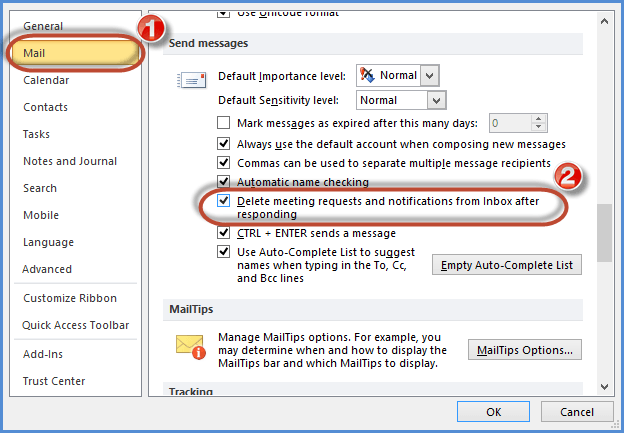
Delete Outlook Meeting Requests and keep your Inbox clean — Email ...
·         Turn off automatic acceptance of meeting requests to keep away from work process issues. To do
this, tap on the Tools, Alternatives and Schedule Options box. Afterward simply tap on Resource
Scheduling button and now deselect Automatically accept meeting requests and procedure cancellations.
·         Now review invitee names before sending a meeting request to everybody on a distribution list.
Remove the names of individuals you need to exclude from the meeting. In the event that you don't do
this, everybody on the list will get a meeting call.]
3 Ways to Write an Email for a Meeting Invitation - wikiHow
·         Keep your meeting organizer updated with some of the changes, for example, additional participants
that you need to invite after the organizer scheduled the meeting.
·         You can update participants with significant data in the event that you are the meeting organizer.
For instance, if the meeting time changes, enter the new time in the body of the meeting solicitation
and just click on the Send Update option.
·         Alert participants if you need to drop a meeting. To cancel an official meeting, simply remove it
from your schedule and then you can Send cancellation meeting.
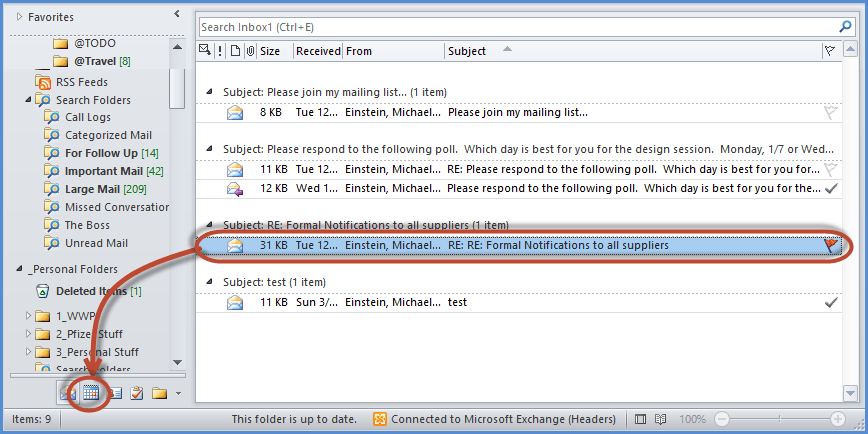
Turning Emails into Appointments in Outlook — Email Overload Solutions
·         Keep meeting demands and other correspondence as professional or secret as could reasonably be
expected. Try not to send messages composed in hard to read text styles or every single capital letter,
and don't utilize sarcasm. The recipients of wry remarks may not find them entertaining.
Important Tip:
Accept or reject a meeting request before moving it from your Inbox to an alternate folder. In case if
you move the request before accepting or declining it, the meeting doesn't show up in your calendar.
This may make you miss the meeting.

Please contact Outlook Helpline Number for more tips regarding the same.


Saturday, 11 April 2020

Whitelisting emails in outlook

Outlook is a suitable platform for mail oriented applications. Outlook which is also referred as
hotmail is widely preferred for mail exchange services. This is because it is a user friendly platform which is quite easy to use but in case of issues one may contact outlook helpline number for help. If you're missing important emails because they're being sent to your spam or junk folder, you may need to whitelist the sender or a full domain name to make sure those emails go where they're supposed to:


1. Check the Junk Folder: Check your Junk Email folder regularly to make sure that important messages do not end up in it. Based on a variety of factors, including time and email content, the Outlook Junk Email Filter automatically moves suspected spam to the Junk Email folder. If the email from the sender you want to whitelist ended up in your junk folder, it's a simple process. To view the body of the email, click Show Content. Then, click Mark as safe. The sender will be added to your Safe Senders list, and all future emails should be sent to your
inbox. For help contact Outlook Contact Number UK.

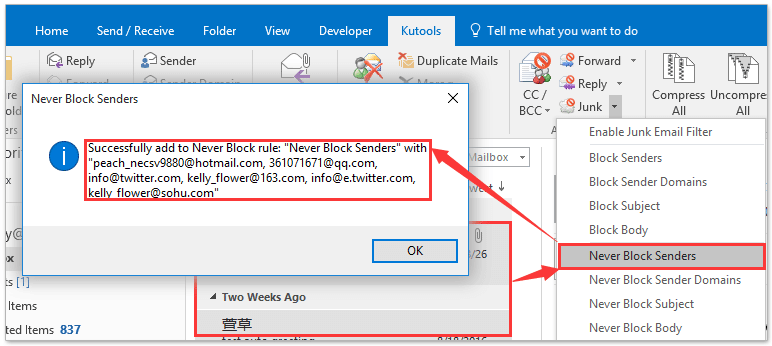
How to add email addresses to safe/blocked senders list in Outlook?

2. Manually add contacts to the Safe Senders List: You can manually add email addresses or

domains to your Safe Senders list in Outlook.com to permanently whitelist them out. Choose
Settings, then Options. Choose Junk Email in the left pane, then Safe Senders. Enter the
email address or domains you want to whitelist in the box, and select the Add button. Click
the Save button.

How To Whilelist An Email? – Benchmark Email

3. Automatically add contacts to the Safe Senders List: You can also choose to have the email
addresses you send automatically added to the Safe Senders list in Outlook. First, click Home, choose Junk, and then click Junk Email. On the Safe Senders tab, check the box next
to automatically, add people email to the Safe Senders list.


4. Beyond checking your Junk folder, check your Blocked Senders list occasionally to make sure it doesn't contain friendly senders. Choose Settings, then Options, Choose Junk Email in the left pane, then Block Senders. Select the address or domain you want to unblock, and click the trash bin icon next to it. Do this for everything you want to remove, and click the Save button. If you need help for this contact Outlook support number .

Thursday, 12 March 2020

How to Get Learn About Sync Issues Folders in Outlook Account


Synchronize problems hold logs and other items that MS Outlook platform has been not capable of sync with your mail or SharePoint servers. Having email messages in these folders is an ordinary function of Outlook as they are blunder checking mechanisms that the program uses to synchronize your email to mail services.

There are 4 synchronization problems folders that show up in the navigation board when you see the folder List. They can be situated in Outlook's organizer view, which can be gotten to by following this Outlook Support Number guide: 
a)      Tap 3 dots in the bottom left of your Outlook mail program or enter CTRL+6.
b)      After that tap on Folders, which will raise a list of the folders in your Outlook account
c)      Here scroll to the Sync problems folder and expand it to likewise see the Conflicts, Local Failures & Server Failures organizers.
The below describes the 4 folders and the items you may discover in every folder. Utilize a things info bar to open a different window for support.
Image result for How to Get Learn About Sync Issues Folders in Outlook Account

·         Synchronize Issues: Contains the synchronization logs. This folder is useful if Outlook is experiencing difficulty syncing — for instance, there is an item that you find in the Office 365 OWA, however not in Outlook — or you are not getting new email in certain folders when utilizing Cached Exchange Mode.
·         Local Failures: Contains all things that couldn't be sent to your server. In the event that you have made changes to things while working offline, and afterward notice that your changes are not showing up in another Outlook customer, Office 365 OWA, or your SharePoint list, you should check this folder also.
Image result for How to Get Learn About Sync Issues Folders in Outlook Account , ·         Local Failures
·         Server Failed: Contains items that Outlook failed to sync from your mailbox or SharePoint server. At the point when Outlook can't synchronize the thing from the server, it moves it from its unique folder area into the Server Failures folder. The content of this folder are accessible just when you have an association with your server. In case you are missing expected messages, check this file/folder.
Log Messages Synchronization
In case you have made an Unread Mail search folder in Outlook and start seeing messages in it like the one below, if it's not too much trouble follow these points: 
1)      At first, access your folder list inside Outlook by tapping on the 3 dots in the bottom left of Outlook program or entering CTRL+6.
Image result for Log Messages Synchronization
2)      Then expand Search Folders, right-tap on the Unread Mail, and you have to pick Customize This Search Folder option.
3)      Now you have to choose the Browse tab.
4)      Un-check Search sub-folders and the top level web-mail account. You can pick the Inbox folder and all other desired organizers to sync new messages with the Unread Mail folder, after that tap on OK button.


If you have any query regarding the above steps, then you can get in touch with Outlook Contact Number team. 

Monday, 13 January 2020

Way For Using Outlook On Your Android Phone

If you are an Android device user it makes sense to utilize Google products, particularly with regards
to your email messages. Nonetheless, there are a lot of reasons why you may choose to utilize another
user, for example, Outlook since it currently includes Hotmail account.


The Outlook Platform Related Features

Outlook comes with an application for Android phone, yet don't expect something that is like the
desktop version. On the off chance that you get the application you will access certain features.
For instance, the Outlook service enables you to reschedule email messages with the goal that the
message will be hidden until a specific time and you will be reminded about it.The free oz
Outlook Support Number is available 24*7 service.

Image result for Way For Using Outlook On Your Android Phone


Outlook account likewise works with different cloud services, from One Drive to Dropbox and Box.
All these can be utilized for your attachments. With Outlook you will likewise have the option to get
to your Google, Yahoo or i Cloud accounts just as many others.

How to Use Outlook App

After you download or install the Outlook application you ought to have the option to find the Add
Account section. Here you have to choose Outlook for your Microsoft account and you ought to have
the option to include your email address by following the guidelines that appear on screen. You will
likewise be required a code in the event that you have 2-step verification enabled.


Image result for Way For Using Outlook On Your Android Phone

After you set up your mail you can go to the Settings tab and here just turn on Focused Inbox. This
function enables Outlook to filter the most significant messages in Focused Inbox with the goal that
you can get to them effectively.

Image result for How to Use Outlook with the Gmail application

How to Use Outlook with the Gmail application

There is another method to utilize Outlook if you don't care for its official application. You can set up the
Outlook email address with the Gmail application. Straightforward open Gmail and click on the small
bolt beside your account name. You need to Add account, pick Outlook, Hotmail and MSN and enter your
address.


I hope these ways and aligned info explained above to use Outlook on android phone. Still in the
event that, clients are unable to follow these ways appropriately, Yahoo Customer Care Number
services providers are 24 hours available and toll-free Yahoo Helpline Number 0800 098 8424
can be extremely useful to have a word with qualified experts to get query fixed in limited time
period.

How to change AOL password on iPhone?

AOL is used widely in various firms and organizations for both internal and external mail transfer. It was once known as Formerly America On...