Showing posts with label Gmail helpline number uk. Show all posts

Thursday, 16 January 2020

Some Important Hacks That Gmail User Needs to Adopt

Gmail isn't only a standout amongest the best web-mail service providers all-over the world.
At Gmail Phone Number UK, we feel it is improving as time passes. Google has associated
its services to Gmail. In case if you are a Gmail account user, you approach its various services.
Become familiar with them to make its best use.


You Can Disable or Remove Web History in your Gmail account

Gmail keeps up a track of your search or sites that you have turned upward, when you are signed
into your Gmail account. At Gmail help desk, we recommend our customers that in the event that
they need to delete their browsing history or need Gmail to quit tracking their browsing history,
simply turn the history off. When you are signed into your Gmail account, just type google.com/
history on the web browser and take it from that point.
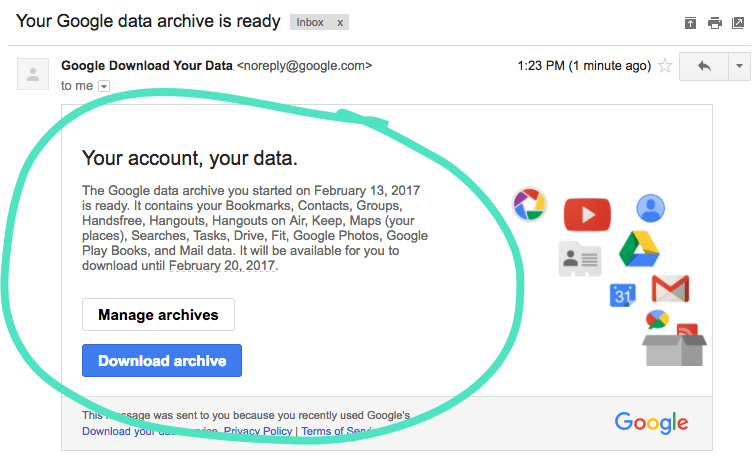
Image result for You Can Disable or Remove Web History in your Gmail account

Delete All Email At Once

When you have to delete all email messages from a specific tab, say essential, promotion/social
or from a particular label, you may in any case have the habit for removing all messages page by
page. Did you realize that in Gmail you can delete every single such mail at only a single tick?
At Gmail contact number, we encourage our customers to delete several messages by signing in
their Gmail accounts, checking the cases that are on the left of the messages and after that,
tapping on Delete button.
Image result for Some Important Hacks That Gmail User Needs to Adopt


In case if you have to delete all messages under a specific category, open Gmail account on your
PC system. At that point go to the upper left and check the section so you can choose all messages.
On the off chance that the messages reach out to more than one page, simply tap on Select all chats.
Then simply open the top and click to delete box. Truly, it is really that straightforward and easy to
get things done in Gmail.

Gmail Technical Help Recommends the Attachment Reminder

Image result for Gmail Technical Help Recommends the Attachment Reminder


Another amazing feature that we like mentioning is that, if anyplace you have written in the mail
that you have attached documents and forget to join them, Gmail remembers it. It promptly sends
you a pop up reminder that says,’'It appears as though you forgot to attach ...there are no files or
documents attached. Send anyway?'


What an extraordinary method to save you from making an error in a significant email!
Gmail Helpline Number UK.,our technical experts trust it is the right option to keep
information back up just as ensure against any hacking related harms. No wonder, Gmail's
fame continues increasing uncontrollably all over the globe.

Tuesday, 24 December 2019

Solve Sync Error with Gmail Android App Immediately

Gmail client application is an outstanding app used by a huge number of people for their personal as well as business purposes. It is an extraordinary built-in application for email lovers who depend on email messages for their everyday work.The expert Gmail helpline number UK helps users in syncing and receiving new mails immediately.


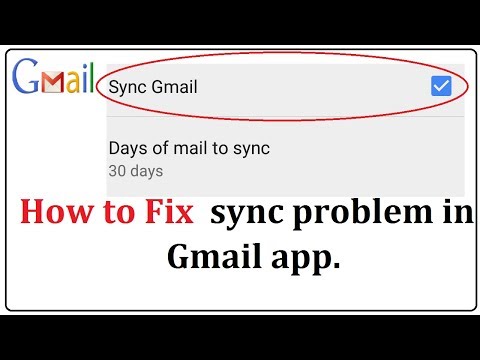
In any case, at times users are facing problems in receiving and sending their messages due to sync problems in their Gmail android application which may hamper their work. So as to fix this issue, you can go through various steps and solve the errors linked to your Gmail Android app in a flash. 
In Case if Gmail isn't Syncing Consequently, you may face the following issues:
Image result for Step by Step Guidelines to Solve Syncing Errors With the Gmail Android
 ·         Nob able to send an email message, or mail is stuck while sending to another
·         Getting Account not synced blunder
·         Not loading or getting another mail
·         Can't open or read them in your account mailbox
·         Your Gmail inbox not updating or refreshing.
·         Unable to getting notifications for new emails in your account mailbox
·         The application you used is too slow.
Step by Step Guidelines to Solve Syncing Errors With the Gmail Android 

Image result for Solve Sync Error with Gmail Android App Immediately

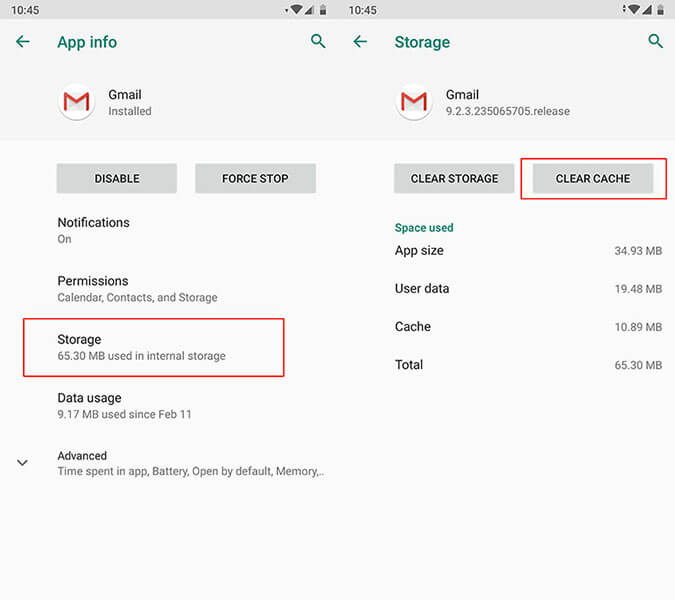
1.      If you're having notices concerns, then you have to check your Gmailnotifications settings appropriately.
2.      Now you have to check that you're connected to the best web connection.
3.      It may happen that your internet association doesn't work. So to check that you're associated, you have to visit a site in your mobile internet browser.
4.      After that you can check sync settings on Gmail application.

Image result for Solve Sync Error with Gmail Android App Immediately
5.      Then depending on your sync settings of a Gmail,account, the Gmail,application probably won't confirm for new mail.
6.      Now you can open the Gmail application and afterward click on the menu tab.
7. Just tap on the settings option. In case you have more than one web-mail account, just pick the account you're not getting a mail for.
8.      Here you need to ensure that you sync Gmail is checked.
9.      After this check your sync settings on the cell phone.
10.  On numerous phones and tablets, you can disable sync for each application without a moment's delay. 


For getting more info and solutions to solve the syncing problems of your Gmail application, then you
can simply get associated with a leading Gmail Phone Number and get help from the technical experts to resolve this issue quickly.

Monday, 25 November 2019

Logout to Your Gmail Account on Desktop and iPhone Application

Nobody likes being snooped on.
From more youthful siblings eavesdropping on our mobile conversations to the person
by you on the train reading your text messages behind you, it can be very frustrating. 
Fortunately, it's very easy to guarantee that nobody has access to your own Gmail emails. Regardless of whether you're utilizing the PC at the library, a shared PC or laptop with your family, or rapidly checking your messages on a friends iPhone, logging out is effort-less. 


Read this blog explained by the tech experts to Gmail Phone Number team and get the problem
solved.
Follow This Guide to Log Out of Gmail Account
At the point when you have to guarantee that nobody has access to your Gmail account, you could change your Gmail account password, or, in case you're on an open device, you can essentially log out. In addition to the fact that logging outs of Gmail support your digital security efforts, but on the other hand it's basic and should be possible in only a couple of steps.
How to Logging Out of Gmail Account 
·         At first, tap on your account photograph in the upper right corner
·         After that click on Sign out
For complete guide on how to log out of Gmail account on desktop and the iPhone application, continue reading.
Image result for Follow This Guide to Log Out of Gmail Account
On Your Desktop
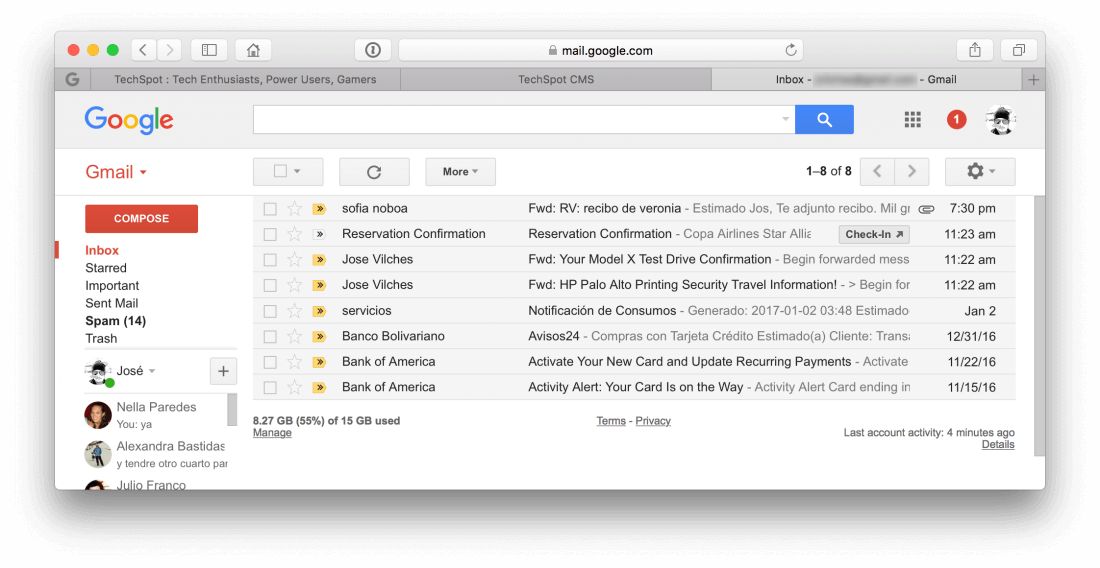
From the Gmail screen you can explore to your profile picture in the upper right hand side corner. Afterward you have to click on Logout. Next, press the Sign out button.

Image result for On Your Desktop

On Your iPhone Application
The way toward logging out of your Gmail account is like the way in which you would on desktop. At the point when you're signed into the application, just click your profile picture .

You'll at that point see all Gmail accounts you have logged into this gadget. Pick Manage accounts on this device.
After this, under the Gmail address of the account you'd prefer to sign out of, simply choose Remove from this gadget.
The Gmail application will at that point confirm you need to delete the account from this device,
which will log you out of the online account.

Log out and Continue
Image result for Log out and Continue

Logging out of Gmail takes only a couple of minutes to do, yet it could save yourself the despair of another person getting to your account and having the option to read your personal email messages. Or on the other hand, for my situation, see when all of online shopping orders will be conveyed. 

Add caption
Well, if you require the help of tech experts to follow this above guidance to fix the issue.
Ask technical support team to help you by Gmail Helpline Number UK you will reach to
customer service group. This number is 24/7 available to fix the issue of Gmail.


How to change AOL password on iPhone?

AOL is used widely in various firms and organizations for both internal and external mail transfer. It was once known as Formerly America On...